App-Tel
view release on metacpan or search on metacpan
# Tel: Login script for routers and other devices
[](https://travis-ci.org/rfdrake/tel)
[](https://coveralls.io/r/rfdrake/tel)
[](http://cpants.cpanauthors.org/dist/App-Tel)
# What it does
tel provides the following:
* Use a simple, single command to connect to multiple network device types.
* Create aliases for hard to type router names or commands.
* Handles terminal-related issues, such as proper backspace.
* clogin-style CLI arguments (via -c and -x).
* Color highlighting.
* Optional global config that supports multiple users.
and now is written in perl/Expect.pm.

# Similar Programs (at least with regards to colorized Cisco CLI)

After posting this to reddit I found some people had similar ideas and had
made progress on some things, but some have taken different directions.  Here
are the projects I know about:

1.  A comment in http://www.reddit.com/r/networking/comments/2bxehw/coloring_cli/ references a
    python expect implementation.  Here is a screenshot with some example code
    http://i.imgur.com/1slyPkK.png

2.  This thread gives a few ideas that I'll list below http://www.reddit.com/r/networking/comments/2hy2dj/cisco_cli_colorization/

3.  Cisco nx-os supports CLI coloring directly with "terminal color"

4.  Cisco embedded event manager can be used to colorize output in recent IOS
    versions.  You need to write scripts on each of the devices you connect
    with.

5.  SecureCRT or MacOS iTerm2 can highlight sections by regex, if you prefer
2. See [ISSUES] for a complete list of currently existing bugs
# Information
Please let me know about bugs or feature requests via github. Submit patches
when possible to fix or enhance something, or to improve the testing.
## Screenshots
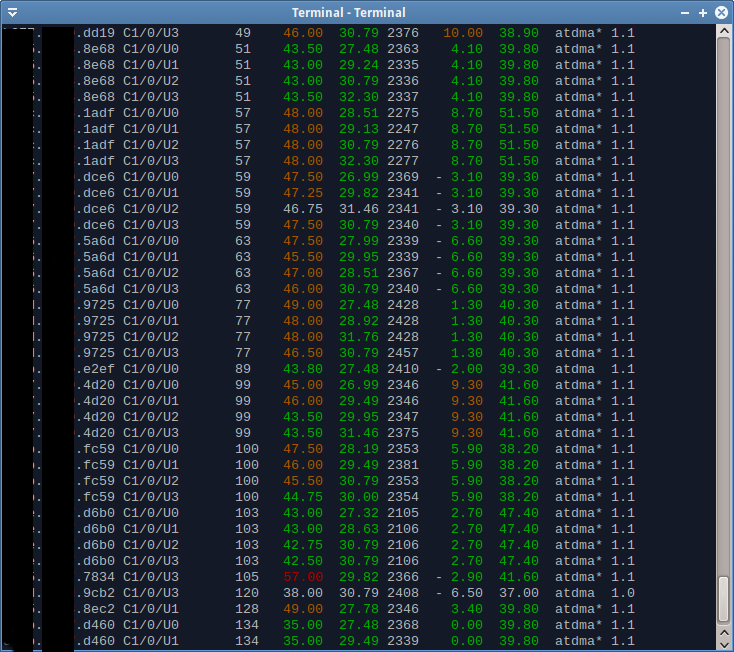
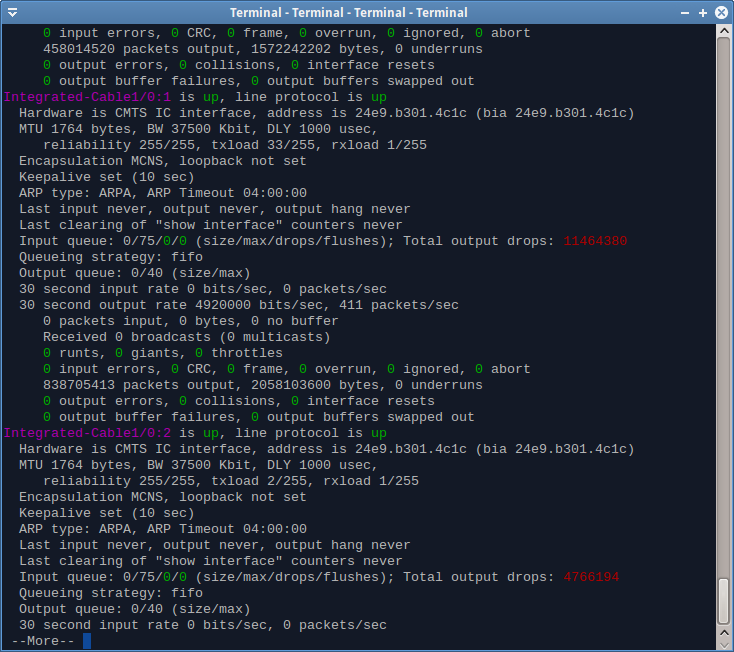
## Namespace change from Expect::Tel to App::Tel
I decided to put it on CPAN with the "tel" name despite it being pretty
generic. If you've been running the script a while you may have left over
library files in <perl_location>/Expect/Tel/. These are now unused and safe
to remove. You might run "make uninstall" on the old release before
installing the new version.
##### Copyright 2015, Robert Drake
( run in 0.892 second using v1.01-cache-2.11-cpan-744e820c463 )