TVision
view release on metacpan or search on metacpan
tvision.git/README.md view on Meta::CPAN
# Turbo Vision
A modern port of Turbo Vision 2.0, the classical framework for text-based user interfaces. Now cross-platform and with Unicode support.
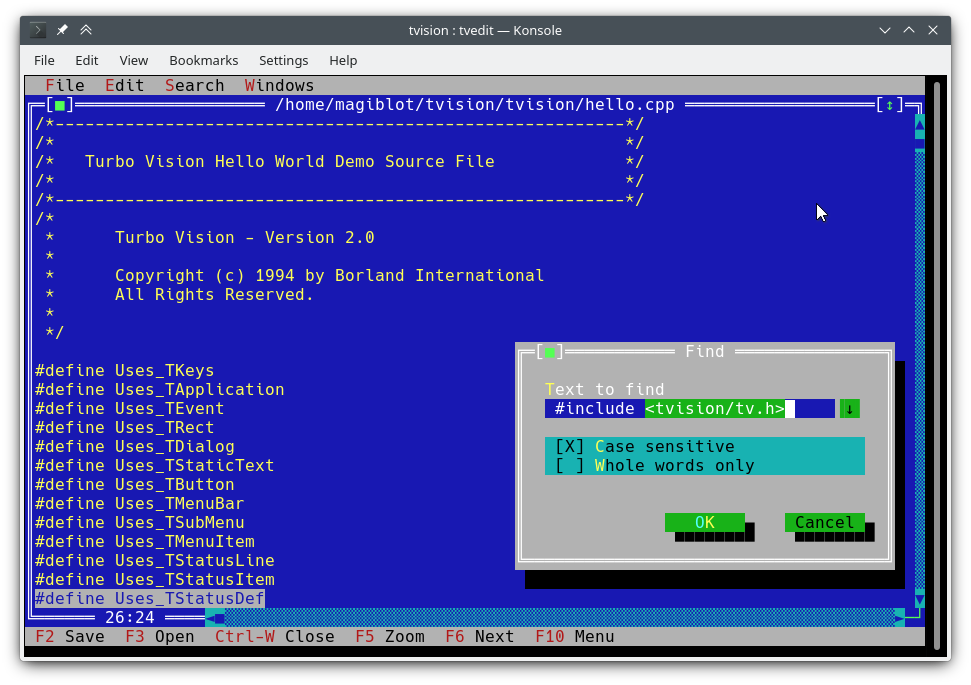
I started this as a personal project at the very end of 2018. By May 2020 I considered it was very close to feature parity with the original, and decided to make it open.
The original goals of this project were:
* Making Turbo Vision work on Linux by altering the legacy codebase as little as possible.
* Keeping it functional on DOS/Windows.
* Being as compatible as possible at the source code level with old Turbo Vision applications. This led me to implement some of the Borland C++ RTL functions, as explained below.
At one point I considered I had done enough, and that any attempts at revamping the library and overcoming its original limitations would require either extending the API or breaking backward compatibility, and that a major rewrite would be most like...
However, between July and August 2020 I found the way to integrate full-fledged Unicode support into the existing architecture, wrote the [Turbo](https://github.com/magiblot/turbo) text editor and also made the new features available on Windows. So I...
The original location of this project is https://github.com/magiblot/tvision.
# Table of contents
* [What is Turbo Vision good for?](#what-for)
* [How do I use Turbo Vision?](#how-to)
* [Releases and downloads](#downloads)
* Build environment
* [Linux](#build-linux)
* [Windows (MSVC)](#build-msvc)
* [Windows (MinGW)](#build-mingw)
* [Windows/DOS (Borland C++)](#build-borland)
* [Vcpkg](#build-vcpkg)
* [Turbo Vision as a CMake dependency](#build-cmake)
* [Features](#features)
* [API changes](#apichanges)
* [Applications using Turbo Vision](#applications)
* [Unicode support](#unicode)
* [Clipboard interaction](#clipboard)
* [Extended color support](#color)
<div id="what-for"></div>
## What is Turbo Vision good for?
A lot has changed since Borland created Turbo Vision in the early 90's. Many GUI tools today separate appearance specification from behaviour specification, use safer or dynamic languages which do not segfault on error, and support either parallel or...
Turbo Vision does not excel at any of those, but it certainly overcomes many of the issues programmers still face today when writing terminal applications:
1. Forget about terminal capabilities and direct terminal I/O. When writing a Turbo Vision application, all you have to care about is what you want your application to behave and look like—there is no need to add workarounds in your code. Turbo Vis...
2. Reuse what has already been done. Turbo Vision provides many widget classes (also known as *views*), including resizable, overlapping windows, pull-down menus, dialog boxes, buttons, scroll bars, input boxes, check boxes and radio buttons. You may...
3. Can you imagine writing a text-based interface that works both on Linux and Windows (and thus is cross-platform) out-of-the-box, with no `#ifdef`s? Turbo Vision makes this possible. First: Turbo Vision keeps on using `char` arrays instead of relyi...
```c++
std::ifstream f("コンピュータ.txt"); // On Windows, the RTL converts this to the system encoding on-the-fly.
```
<div id="how-to"></div>
## How do I use Turbo Vision?
You can get started with the [Turbo Vision For C++ User's Guide](https://archive.org/details/BorlandTurboVisionForCUserSGuide/mode/1up), and look at the sample applications [`hello`](https://github.com/magiblot/tvision/blob/master/hello.cpp), [`tvdem...
I suggest you take a look at the [Turbo Vision 2.0 Programming Guide](https://archive.org/details/bitsavers_borlandTurrogrammingGuide1992_25707423), which is, in my opinion, more intuitive and easier to understand, despite using Pascal. By then you w...
Don't forget to check out the <a href="#features">features</a> and <a href="#apichanges">API changes</a> sections as well.
<div id="downloads"></div>
## Releases and downloads
This project has no stable releases for the time being. If you are a developer, try to stick to the latest commit and report any issues you find while upgrading.
If you just want to test the demo applications:
* Unix systems: you'll have to build Turbo Vision yourself. You may follow the [build instructions](#build-linux) below.
* Windows: you can find up-to-date binaries in the [Actions](https://github.com/magiblot/tvision/actions?query=branch:master+event:push) section. Click on the first successful workflow (with a green tick) in the list. At the bottom of the workflow pa...
* `examples-dos32.zip`: 32-bit executables built with Borland C++. No Unicode support.
* `examples-x86.zip`: 32-bit executables built with MSVC. Windows Vista or later required.
* `examples-x64.zip`: 64-bit executables built with MSVC. x64 Windows Vista or later required.
## Build environment
<div id="build-linux"></div>
### Linux
Turbo Vision can be built as an static library with CMake and GCC/Clang.
```sh
cmake . -B ./build -DCMAKE_BUILD_TYPE=Release && # Could also be 'Debug', 'MinSizeRel' or 'RelWithDebInfo'.
cmake --build ./build # or `cd ./build; make`
```
CMake versions older than 3.13 may not support the `-B` option. You can try the following instead:
```sh
mkdir -p build; cd build
cmake .. -DCMAKE_BUILD_TYPE=Release &&
cmake --build .
```
The above produces the following files:
* `libtvision.a`, which is the Turbo Vision library.
* The demo applications `hello`, `tvdemo`, `tvedit`, `tvdir`, which were bundled with the original Turbo Vision (although some of them have a few improvements).
* The demo applications `mmenu` and `palette` from Borland's Technical Support.
* `tvhc`, the Turbo Vision Help Compiler.
The library and executables can be found in `./build`.
The build requirements are:
* A compiler supporting C++14.
* `libncursesw` (note the 'w').
* `libgpm` for mouse support on the Linux console (optional).
If your distribution provides separate *devel* packages (e.g. `libncurses-dev`, `libgpm-dev` in Debian-based distros), install these too.
<div id="build-linux-runtime"></div>
The runtime requirements are:
* `xsel` or `xclip` for clipboard support in X11 environments.
* `wl-clipboard` for clipboard support in Wayland environments.
The minimal command line required to build a Turbo Vision application (e.g. `hello.cpp` with GCC) from this project's root is:
```sh
g++ -std=c++14 -o hello hello.cpp ./build/libtvision.a -Iinclude -lncursesw -lgpm
```
You may also need:
* `-Iinclude/tvision` if your application uses Turbo Vision 1.x includes (`#include <tv.h>` instead of `#include <tvision/tv.h>`).
* `-Iinclude/tvision/compat/borland` if your application includes Borland headers (`dir.h`, `iostream.h`, etc.).
* On Gentoo (and possibly others): `-ltinfow` if both `libtinfo.so` and `libtinfow.so` are available in your system. Otherwise, you may get a segmentation fault when running Turbo Vision applications ([#11](https://github.com/magiblot/tvision/issues/...
`-lgpm` is only necessary if Turbo Vision was built with `libgpm` support.
The backward-compatibility headers in `include/tvision/compat/borland` emulate the Borland C++ RTL. Turbo Vision's source code still depends on them, and they could be useful if porting old applications. This also means that including `tvision/tv.h` ...
<div id="build-msvc"></div>
### Windows (MSVC)
The build process with MSVC is slightly more complex, as there are more options to choose from. Note that you will need different build directories for different target architectures. For instance, to generate optimized binaries:
```sh
cmake . -B ./build && # Add '-A x64' (64-bit) or '-A Win32' (32-bit) to override the default platform.
cmake --build ./build --config Release # Could also be 'Debug', 'MinSizeRel' or 'RelWithDebInfo'.
```
In the example above, `tvision.lib` and the example applications will be placed at `./build/Release`.
If you wish to link Turbo Vision statically against Microsoft's run-time library (`/MT` instead of `/MD`), enable the `TV_USE_STATIC_RTL` option (`-DTV_USE_STATIC_RTL=ON` when calling `cmake`).
If you wish to link an application against Turbo Vision, note that MSVC won't allow you to mix `/MT` with `/MD` or debug with non-debug binaries. All components have to be linked against the RTL in the same way.
If you develop your own Turbo Vision application make sure to enable the following compiler flags, or else you will get compilation errors when including `<tvision/tv.h>`:
```
/permissive-
/Zc:__cplusplus
```
If you use [Turbo Vision as a CMake submodule](#build-cmake), these flags will be enabled automatically.
**Note:** Turbo Vision uses `setlocale` to set the [RTL functions in UTF-8 mode](https://docs.microsoft.com/en-us/cpp/c-runtime-library/reference/setlocale-wsetlocale#utf-8-support). This won't work if you use an old version of the RTL.
With the RTL statically linked in, and if UTF-8 is supported in `setlocale`, Turbo Vision applications are portable and work by default on **Windows Vista and later**.
<div id="build-mingw"></div>
### Windows (MinGW)
Once your MinGW environment is properly set up, build is done in a similar way to Linux:
```sh
cmake . -B ./build -G "MinGW Makefiles" -DCMAKE_BUILD_TYPE=Release &&
cmake --build ./build
```
In the example above, `libtvision.a` and all examples are in `./build` if `TV_BUILD_EXAMPLES` option is `ON` (the default).
tvision.git/README.md view on Meta::CPAN
    ```sh
    TVISION_USE_STDIO=1 tvdemo | tee out.txt
    ```

### Windows

* Only compatible with the Win32 Console API. On terminal emulators that don't support this, Turbo Vision will automatically pop up a separate console window.
* Applications fit the console window size instead of the buffer size (no scrollbars are visible) and the console buffer is restored when exiting or suspending Turbo Vision.

The following are not available when compiling with Borland C++:

* The console's codepage is set to UTF-8 on startup and restored on exit.
* Microsoft's C runtime functions are set automatically to UTF-8 mode, so you as a developer don't need to use the `wchar_t` variants.
* If the console crashes, a new one is allocated automatically.

**Note:** Turbo Vision writes UTF-8 text directly to the Windows console. If the console is set in legacy mode and the bitmap font is being used, Unicode characters will not be displayed properly ([photo](https://user-images.githubusercontent.com/207...

### All platforms

The following are new features not available in Borland's release of Turbo Vision or in previous open source ports (Sigala, SET):

* Middle mouse button and mouse wheel support.
* Arbitrary screen size support (up to 32767 rows or columns) and graceful handling of screen resize events.
* Windows can be resized from their bottom left corner.
* Windows can be dragged from empty areas with the middle mouse button.
* Improved usability of menus: they can be closed by clicking again on the parent menu item.
* Improved usability of scrollbars: dragging them also scrolls the page. Clicking on an empty area of the scrollbar moves the thumb right under the cursor. They respond by default to mouse wheel events.
* `TInputLine`s no longer scroll the text display on focus/unfocus, allowing relevant text to stay visible.
* Support for LF line endings in `TFileViewer` (`tvdemo`) and `TEditor` (`tvedit`). `TEditor` preserves the line ending on file save but all newly created files use CRLF by default.
* `TEditor`: context menu on right click.
* `TEditor`: drag scroll with middle mouse button.
* `TEditor`, `TInputLine`: delete whole words with `kbAltBack`, `kbCtrlBack` and `kbCtrlDel`.
* `TEditor`: the Home key toggles between beginning of line and beginning of indented text.
* `TEditor`: support for files bigger than 64 KiB on 32-bit or 64-bit builds.
* `tvdemo`: event viewer applet useful for event debugging.
* `tvdemo`: option to change the background pattern.

<div id="apichanges"></div>

## API changes

* Screen writes are buffered and are usually sent to the terminal once for every iteration of the active event loop (see also `TVISION_MAX_FPS`). If you need to update the screen during a busy loop, you may use `TScreen::flushScreen()`.
* `TDrawBuffer` is no longer a fixed-length array and its methods prevent past-the-end array accesses. Therefore, old code containing comparisons against `sizeof(TDrawBuffer)/sizeof(ushort)` is no longer valid; such checks should be removed.
* `TApplication` now provides `dosShell()`, `cascade()` and `tile()`, and handles `cmDosShell`, `cmCascade` and `cmTile` by default. These functions can be customized by overriding `getTileRect()` and `writeShellMsg()`. This is the same behaviour as ...
* Mouse wheel support: new mouse event `evMouseWheel`. The wheel direction is specified in the new field `event.mouse.wheel`, whose possible values are `mwUp`, `mwDown`, `mwLeft` or `mwRight`.
* Middle mouse button support: new mouse button flag `mbMiddleButton`.
* The `buttons` field in `evMouseUp` events is no longer empty. It now indicates which button was released.
* Triple-click support: new mouse event flag `meTripleClick`.
* `TRect` methods `move`, `grow`, `intersect` and `Union` now return `TRect&` instead of being `void` so that they can be chained.
* `TOutlineViewer` now allows the root node to have siblings.
* New function `ushort popupMenu(TPoint where, TMenuItem &aMenu, TGroup *receiver=0)` which spawns a `TMenuPopup` on the desktop. See `source/tvision/popupmnu.cpp`.
* New virtual method `TMenuItem& TEditor::initContextMenu(TPoint p)` that determines the entries of the right-click context menu in `TEditor`.
* `fexpand` can now take a second parameter `relativeTo`.
* New class `TStringView`, inspired by `std::string_view`.
    * Many functions which originally had null-terminated string parameters now receive `TStringView` instead. `TStringView` is compatible with `std::string_view`, `std::string` and `const char *` (even `nullptr`).
* New class `TSpan<T>`, inspired by `std::span`.
* New classes `TDrawSurface` and `TSurfaceView`, see `<tvision/surface.h>`.
* The system integration subsystems (`THardwareInfo`, `TScreen`, `TEventQueue`...) are now initialized when constructing a `TApplication` for the first time, rather than before `main`. They are still destroyed on exit from `main`.
* New method `TVMemMgr::reallocateDiscardable()` which can be used along `allocateDiscardable` and `freeDiscardable`.
* New method `TView::textEvent()` which allows receiving text in an efficient manner, see [Clipboard interaction](#clipboard).
* New class `TClipboard`, see [Clipboard interaction](#clipboard).
* Unicode support, see [Unicode](#unicode).
* True Color support, see [extended colors](#color).
* New method `static void TEventQueue::waitForEvents(int timeoutMs)` which may block for up to `timeoutMs` milliseconds waiting for input events. A negative `timeoutMs` can be used to wait undefinitely. If it blocks, it has the side effect of flushin...
* New method `static void TEventQueue::wakeUp()` which causes the event loop to resume execution if it is blocked at `TEventQueue::waitForEvents()`. This method is thread-safe, since its purpose is to unblock the event loop from secondary threads.
* New method `void TView::getEvent(TEvent &, int timeoutMs)` which allows waiting for an event with an user-provided timeout (instead of `TProgram::eventTimeoutMs`).
* It is now possible to specify a maximum text width or maximum character count in `TInputLine`. This is done through a new parameter in `TInputLine`'s constructor, `ushort limitMode`, which controls how the second constructor parameter, `uint limit`...
    * `ilMaxBytes` (the default): the text can be up to `limit` bytes long, including the null terminator.
    * `ilMaxWidth`: the text can be up to `limit` columns wide.
    * `ilMaxChars`: the text can contain up to `limit` non-combining characters or graphemes.
* New functions which allow getting the names of Turbo Vision's constants at runtime (e.g. `evCommand`, `kbShiftIns`, etc.):
    ```c++
    void printKeyCode(ostream &, ushort keyCode);
    void printControlKeyState(ostream &, ushort controlKeyState);
    void printEventCode(ostream &, ushort eventCode);
    void printMouseButtonState(ostream &, ushort buttonState);
    void printMouseWheelState(ostream &, ushort wheelState);
    void printMouseEventFlags(ostream &, ushort eventFlags);
    ```
* New class `TKey` which can be used to define new key combinations (e.g. `Shift+Alt+Up`) by specifying a key code and a mask of key modifiers:
    ```c++
    auto kbShiftAltUp = TKey(kbUp, kbShift | kbAltShift);
    assert(kbCtrlA == TKey('A', kbCtrlShift));
    assert(TKey(kbCtrlTab, kbShift) == TKey(kbTab, kbShift | kbCtrlShift));
    // Create menu hotkeys.
    new TMenuItem("~R~estart", cmRestart, TKey(kbDel, kbCtrlShift | kbAltShift), hcNoContext, "Ctrl-Alt-Del")
    // Examine KeyDown events:
    if (event.keyDown == TKey(kbEnter, kbShift))
        doStuff();
    ```
* New methods which allow using timed events:
    ```c++
    TTimerId TView::setTimer(uint timeoutMs, int periodMs = -1);
    void TView::killTimer(TTimerId id);
    ```
    `setTimer` starts a timer that will first time out in `timeoutMs` milliseconds and then every `periodMs` milliseconds.

    If `periodMs` is negative, the timer only times out a single time and is cleaned up automatically. Otherwise, it will keep timing out periodically until `killTimer` is invoked.

    When a timer times out, an `evBroadcast` event with the command `cmTimerExpired` is emitted, and `message.infoPtr` is set to the `TTimerId` of the expired timer.

    Timeout events are generated in `TProgram::idle()`. Therefore, they are only processed when no keyboard or mouse events are available.

## Screenshots

You will find some screenshots [here](https://github.com/magiblot/tvision/issues/7). Feel free to add your own!

## Contributing

If you know of any Turbo Vision applications whose source code has not been lost and that could benefit from this, let me know.

<div id="applications"></div>

## Applications using Turbo Vision

If your application is based on this project and you'd like it to appear in the following list, just let me know.

* [Turbo](https://github.com/magiblot/turbo) by [magiblot](https://github.com/magiblot), a proof-of-concept text editor.
* [tvterm](https://github.com/magiblot/tvterm) by [magiblot](https://github.com/magiblot), a proof-of-concept terminal emulator.
* [TMBASIC](https://github.com/electroly/tmbasic) by [Brian Luft](https://github.com/electroly), a programming language for creating console applications.
tvision.git/README.md view on Meta::CPAN
p = (char *)(fileLines->at(delta.y+i));
if (p == 0 || strlen(p) < delta.x)
s[0] = EOS;
else
strnzcpy(s, p+delta.x, maxLineLength+1);
b.moveStr(0, s, c);
}
writeBuf( 0, i, size.x, 1, b );
```
All it does is move part of a string in `fileLines` into `b`, which is a `TDrawBuffer`. `delta` is a `TPoint` representing the scroll offset in the text view, and `i` is the index of the visible line being processed. `c` is the text color. A few issu...
* `TDrawBuffer::moveStr(ushort, const char *, TColorAttr)` takes a null-terminated string. In order to pass a substring of the current line, a copy is made into the array `s`, at the risk of a [buffer overrun](https://github.com/magiblot/tvision/comm...
* `delta.x` is the first visible column. With multibyte-encoded text, it is no longer true that such column begins at position `delta.x` in the string.
Below is a corrected version of the code above that handles Unicode properly:
```c++
if (delta.y + i < fileLines->getCount()) {
p = (char *)(fileLines->at(delta.y+i));
if (p)
b.moveStr(0, p, c, size.x, delta.x);
}
writeBuf( 0, i, size.x, 1, b );
```
The overload of `moveStr` used here is `TDrawBuffer::moveStr(ushort indent, TStringView str, TColorAttr attr, ushort width, ushort begin)`. This function not only provides Unicode support, but also helps us write cleaner code and overcome some of the...
* The intermediary copy is avoided, so the displayed text is not limited to `maxLineLength` bytes.
* `moveStr` takes care of printing the string starting at column `delta.x`. We do not even need to worry about how many bytes correspond to `delta.x` columns.
* Similarly, `moveStr` is instructed to copy at most `size.x` columns of text without us having to care about how many bytes that is nor dealing with edge cases. The code is written in an encoding-agnostic way and will work whether multibyte characte...
* In case you hadn't realized yet, the intermediary copy in the previous version was completely unnecessary. It would have been necessary only if we had needed to trim the end of the line, but that was not the case: text occupies all of the view's wi...
## Unicode support across standard views
Support for creating Unicode-aware views is in place, and most views in the original Turbo Vision library have been adapted to handle Unicode.
The following views can display Unicode text properly. Some of them also do horizontal scrolling or word wrapping; all of that should work fine.
- [x] `TStaticText` ([`7b15d45d`](https://github.com/magiblot/tvision/commit/7b15d45da231f75f2677454021c2e34ad1149ca8)).
- [x] `TFrame` ([`81066ee5`](https://github.com/magiblot/tvision/commit/81066ee5c05496612dfcd9cf75df5702cbfb9679)).
- [x] `TStatusLine` ([`477b3ae9`](https://github.com/magiblot/tvision/commit/477b3ae91fd84eb1487dca18a87b3f7b8699c576)).
- [x] `THistoryViewer` ([`81066ee5`](https://github.com/magiblot/tvision/commit/81066ee5c05496612dfcd9cf75df5702cbfb9679)).
- [x] `THelpViewer` ([`81066ee5`](https://github.com/magiblot/tvision/commit/81066ee5c05496612dfcd9cf75df5702cbfb9679), [`8c7dac2a`](https://github.com/magiblot/tvision/commit/8c7dac2a61000f17e09cc31ebbb58b030f95c0e5), [`20f331e3`](https://github.com...
- [x] `TListViewer` ([`81066ee5`](https://github.com/magiblot/tvision/commit/81066ee5c05496612dfcd9cf75df5702cbfb9679)).
- [x] `TMenuBox` ([`81066ee5`](https://github.com/magiblot/tvision/commit/81066ee5c05496612dfcd9cf75df5702cbfb9679)).
- [x] `TTerminal` ([`ee821b69`](https://github.com/magiblot/tvision/commit/ee821b69c5dd81c565fe1add1ac6f0a2f8a96a01)).
- [x] `TOutlineViewer` ([`6cc8cd38`](https://github.com/magiblot/tvision/commit/6cc8cd38da5841201544d6ba103f9662d7675213)).
- [x] `TFileViewer` (from the `tvdemo` application) ([`068bbf7a`](https://github.com/magiblot/tvision/commit/068bbf7a0a13482bda91f9f3411ec614f9a1e6ff)).
- [x] `TFilePane` (from the `tvdir` application) ([`9bcd897c`](https://github.com/magiblot/tvision/commit/9bcd897cb7cf010ef34d0281d42e9ea58345ce53)).
The following views can, in addition, process Unicode text or user input:
- [x] `TInputLine` ([`81066ee5`](https://github.com/magiblot/tvision/commit/81066ee5c05496612dfcd9cf75df5702cbfb9679), [`cb489d42`](https://github.com/magiblot/tvision/commit/cb489d42d522f7515c870942bcaa8f0f3dea3f35)).
- [x] `TEditor` ([`702114dc`](https://github.com/magiblot/tvision/commit/702114dc03a13ebce2b52504eb122c97f9892de9)). Instances are in UTF-8 mode by default. You may switch back to single-byte mode by pressing `Ctrl+P`. This only changes how the docum...
Views not in this list may not have needed any corrections or I simply forgot to fix them. Please submit an issue if you notice anything not working as expected.
Use cases where Unicode is not supported (not an exhaustive list):
- [ ] Highlighted key shortcuts, in general (e.g. `TMenuBox`, `TStatusLine`, `TButton`...).
<div id="clipboard"></div>
# Clipboard interaction
Originally, Turbo Vision offered no integration with the system clipboard, since there was no such thing on MS-DOS.
It did offer the possibility of using an instance of `TEditor` as an internal clipboard, via the `TEditor::clipboard` static member. However, `TEditor` was the only class able to interact with this clipboard. It was not possible to use it with `TInpu...
Turbo Vision applications are now most likely to be ran in a graphical environment through a terminal emulator. In this context, it would be desirable to interact with the system clipboard in the same way as a regular GUI application would do.
To deal with this, a new class `TClipboard` has been added which allows accessing the system clipboard. If the system clipboard is not accessible, it will instead use an internal clipboard.
## Enabling clipboard support
On Windows (including WSL) and macOS, clipboard integration is supported out-of-the-box.
On Unix systems other than macOS, it is necessary to install some external dependencies. See [runtime requirements](#build-linux-runtime).
For applications running remotely (e.g. through SSH), clipboard integration is supported in the following situations:
* When X11 forwarding over SSH is enabled (`ssh -X`).
* When your terminal emulator supports far2l's terminal extensions ([far2l](https://github.com/elfmz/far2l), [putty4far2l](https://github.com/ivanshatsky/putty4far2l)).
* When your terminal emulator supports OSC 52 escape codes:
* [alacritty](https://github.com/alacritty/alacritty), [kitty](https://github.com/kovidgoyal/kitty), [foot](https://codeberg.org/dnkl/foot).
* [xterm](https://invisible-island.net/xterm/), if the `allowWindowOps` option is enabled.
* A few other terminals only support the Copy action.
Additionally, it is always possible to paste text using your terminal emulator's own Paste command (usually `Ctrl+Shift+V` or `Cmd+V`).
## API usage
To use the `TClipboard` class, define the macro `Uses_TClipboard` before including `<tvision/tv.h>`.
### Writing to the clipboard
```c++
static void TClipboard::setText(TStringView text);
```
Sets the contents of the system clipboard to `text`. If the system clipboard is not accessible, an internal clipboard is used instead.
### Reading the clipboard
```c++
static void TClipboard::requestText();
```
Requests the contents of the system clipboard asynchronously, which will be later received in the form of regular `evKeyDown` events. If the system clipboard is not accessible, an internal clipboard is used instead.
### Processing Paste events
A Turbo Vision application may receive a Paste event for two different reasons:
* Because `TClipboard::requestText()` was invoked.
* Because the user pasted text through the terminal.
In both cases the application will receive the clipboard contents in the form of regular `evKeyDown` events. These events will have a `kbPaste` flag in `keyDown.controlKeyState` so that they can be distinguished from regular key presses.
Therefore, if your view can handle user input it will also handle Paste events by default. However, if the user pastes 5000 characters, the application will behave as if the user pressed the keyboard 5000 times. This involves drawing views, completin...
For the purpose of dealing with this situation, another function has been added:
```c++
bool TView::textEvent(TEvent &event, TSpan<char> dest, size_t &length);
```
`textEvent()` attempts to read text from consecutive `evKeyDown` events and stores it in a user-provided buffer `dest`. It returns `false` when no more events are available or if a non-text event is found, in which case this event is saved with `putE...
The exact number of bytes read is stored in the output parameter `length`, which will never be larger than `dest.size()`.
Here is an example on how to use it:
```c++
// 'ev' is a TEvent, and 'ev.what' equals 'evKeyDown'.
// If we received text from the clipboard...
if (ev.keyDown.controlKeyState & kbPaste) {
char buf[512];
size_t length;
// Fill 'buf' with the text in 'ev' and in
// upcoming events from the input queue.
while (textEvent(ev, buf, length)) {
// Process 'length' bytes of text in 'buf'...
}
}
```
### Enabling application-wide clipboard usage
The standard views `TEditor` and `TInputLine` react to the `cmCut`, `cmCopy` and `cmPaste` commands. However, your application first has to be set up to use these commands. For example:
```c++
TStatusLine *TMyApplication::initStatusLine( TRect r )
{
r.a.y = r.b.y - 1;
return new TStatusLine( r,
*new TStatusDef( 0, 0xFFFF ) +
// ...
*new TStatusItem( 0, kbCtrlX, cmCut ) +
*new TStatusItem( 0, kbCtrlC, cmCopy ) +
*new TStatusItem( 0, kbCtrlV, cmPaste ) +
// ...
);
}
```
`TEditor` and `TInputLine` automatically enable and disable these commands. For example, if a `TEditor` or `TInputLine` is focused, the `cmPaste` command will be enabled. If there is selected text, the `cmCut` and `cmCopy` commands will also be enabl...
<div id="color"></div>
# Extended color support
The Turbo Vision API has been extended to allow more than the original 16 colors.
Colors can be specified using any of the following formats:
* [BIOS color attributes](https://en.wikipedia.org/wiki/BIOS_color_attributes) (4-bit), the format used originally on MS-DOS.
* RGB (24-bit).
* `xterm-256color` palette indices (8-bit).
* The *terminal default* color. This is the color used by terminal emulators when no display attributes (bold, color...) are enabled (usually white for foreground and black for background).
Although Turbo Vision applications are likely to be ran in a terminal emulator, the API makes no assumptions about the display device. That is to say, the complexity of dealing with terminal emulators is hidden from the programmer and managed by Turb...
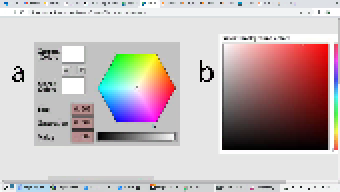
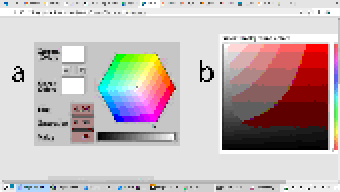
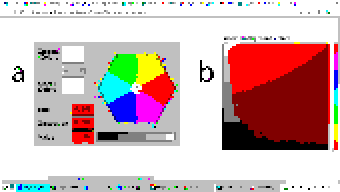
For example: color support varies among terminals. If the programmer uses a color format not supported by the terminal emulator, Turbo Vision will quantize it to what the terminal can display. The following images represent the quantization of a 24-b...
| 24-bit color (original) | 256 colors |
|:-:|:-:|
|||
| 16 colors | 8 colors (bold as bright) |
|:-:|:-:|
||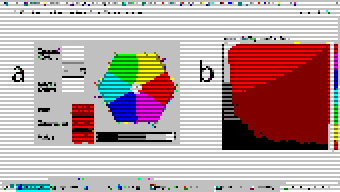|
Extended color support basically comes down to the following:
* Turbo Vision has originally used [BIOS color attributes](https://en.wikipedia.org/wiki/BIOS_color_attributes) stored in an `uchar`. `ushort` is used to represent attribute pairs. This is still the case when using Borland C++.
* In modern platforms a new type `TColorAttr` has been added which replaces `uchar`. It specifies a foreground and background color and a style. Colors can be specified in different formats (BIOS color attributes, 24-bit RGB...). Styles are the typic...
* `TDrawBuffer`'s methods, which used to take `uchar` or `ushort` parameters to specify color attributes, now take `TColorAttr` or `TAttrPair`.
* `TPalette`, which used to contain an array of `uchar`, now contains an array of `TColorAttr`. The `TView::mapColor` method also returns `TColorAttr` instead of `uchar`.
* `TView::mapColor` has been made virtual so that the palette system can be bypassed without having to rewrite any `draw` methods.
* `TColorAttr` and `TAttrPair` can be initialized with and casted into `uchar` and `ushort` in a way such that legacy code still compiles out-of-the-box without any change in functionality.
Below is a more detailed explanation aimed at developers.
## Data Types
In the first place we will explain the data types the programmer needs to know in order to take advantage of the extended color support. To get access to them, you may have to define the macro `Uses_TColorAttr` before including `<tvision/tv.h>`.
All the types described in this section are *trivial*. This means that they can be `memset`'d and `memcpy`'d. But variables of these types are *uninitialized* when declared without initializer, just like primitive types. So make sure you don't manipu...
( run in 0.519 second using v1.01-cache-2.11-cpan-84e82930d8c )