Convos
view release on metacpan or search on metacpan

Convos is the simplest way to use IRC. It is always online, and accessible to
your web browser, both on desktop and mobile. Run in on your home server, or
cloud service easily. It can be deployed to Docker-based cloud services, or
you can just run it as a normal Mojolicious application, using any of the
Deployment Guides.
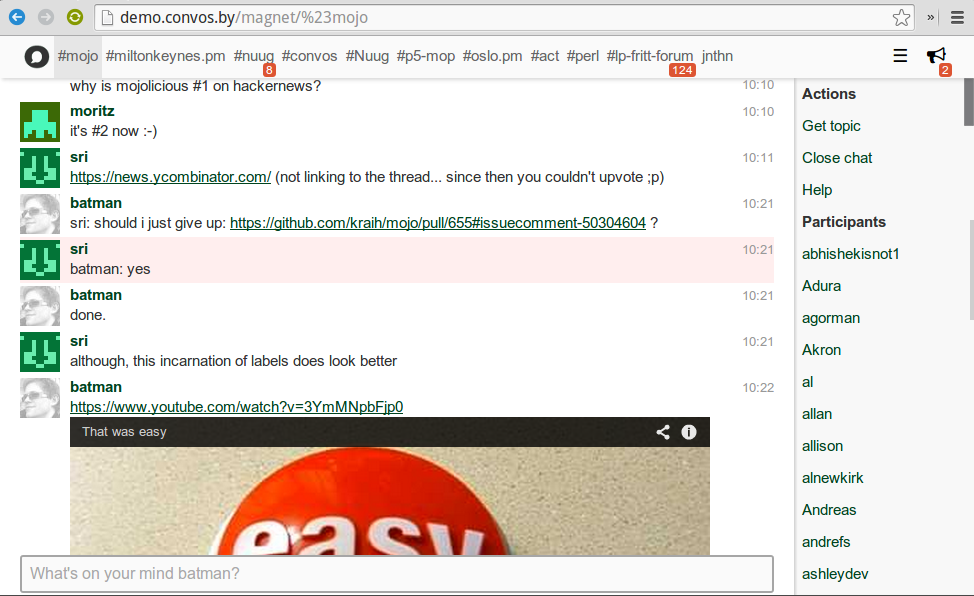
We got a [live demo](http://demo.convos.by) that is free to try.
## Features
#### Always online
The backend server will keep you logged in and logs all the activity in your
archive.
### Archive
All chats will be logged and indexed, which allow you to search in earlier
conversations.
### Avatars
The chat contains profile pictures which can be retrieved from Facebook or
from gravatar.com. The avatar used when talking with Convos is lovingly
delivered by [Robohash.org](http://robohash.org/convos.by).
### Include external resources
Links to images and video will be displayed inline. No need to click on the
link to view the data.
## Installation
Convos requires a [Redis](http://redis.io/) server to function. If you are
deploying on OSX you can use [homebrew](http://brew.sh/), or if you are on
Ubuntu or similar install Redis using `apt-get install redis-server`. Note
that we require Redis 2.6+. If your distro version is too old, you can easily
build Redis from [source](http://redis.io/download).
To install convos we provide a simple script. All it requires in addition to
redis is a working build environment with make, Perl and a C compiler.
Copy/paste this to the command line:
$ curl -L https://convos.by/install.sh | bash -
Then just follow the instructions. If you're worried about running a script
directly from a web server, just download it and inspect it before you run it.
It's also possible to run Convos from a checked out git repo:
$ git clone https://github.com/Nordaaker/convos.git
$ cd convos
$ ./vendor/bin/carton install
$ ./vendor/bin/carton exec script/convos daemon --listen http://*:8080
## Running convos in production
You can either run convos as a single process or a in a preforked environment.
The single process is the simplest to maintain, but preforked is perfect when
you need to scale.
( run in 0.681 second using v1.01-cache-2.11-cpan-aadc1410aed )